SMS Campaign Reports
SMS campaign reporting helps you understand what’s working and where to improve. By tracking key metrics like delivery rates, clicks, and conversions, you can see how your messages perform and how customers respond. Clear reporting makes it easier to spot trends, adjust your approach, and get better results from every campaign, saving time and helping you communicate with more confidence.
View an SMS Campaign Report
For every SMS campaign you send from Transpond, a campaign report will be created. To view a report:
- Go to Campaigns > SMS
- Click on the name of a finished campaign to open the report
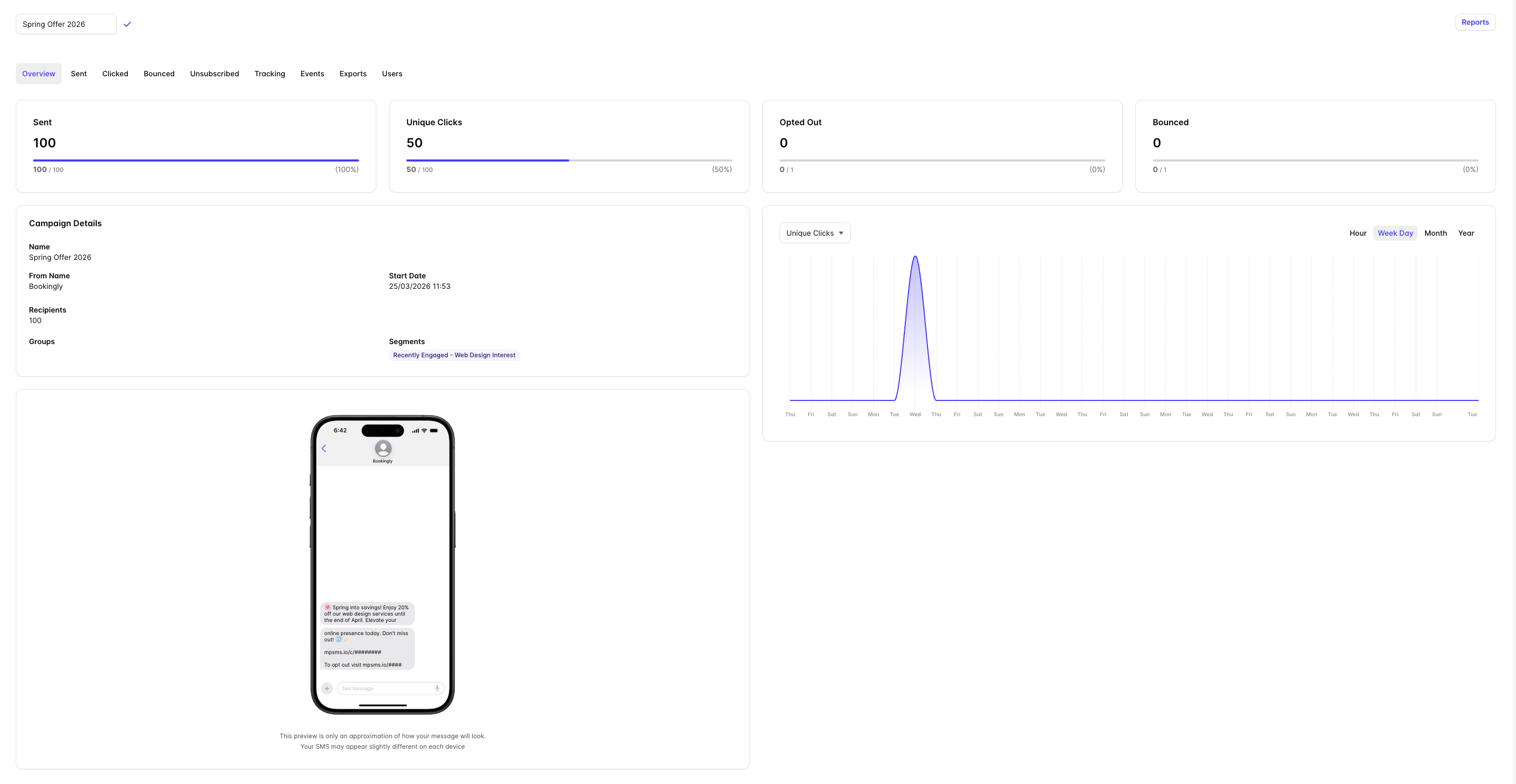
The Overview tab provides a quick snapshot of the campaign performance. Use the tabs along the top of the report for deeper analysis of the campaign metrics.
If you want to report on multiple campaigns at once, you can create Custom Reports.
Understanding SMS Campaign Reports
Overview - The Overview tab provides a snapshot of overall campaign performance with metrics for clicks, opt-outs and bounces.
Sent - The Sent tab provides a timeline of campaign sends, helping you understand when messages were delivered and monitor sending activity throughout the campaign.
Clicked - The Clicked tab provides a detailed view of which links in the campaign have been clicked, how many times, and by whom.
Bounced - The Bounced tab shows which messages could not be delivered, along with the time the bounce occurred. Reviewing bounced recipients can help identify invalid or unreachable numbers.
Unsubscribed - The Unsubscribed tab shows which recipients unsubscribed and when.
Tracking - The Tracking tab shows website activity generated by recipients after clicking a link in the SMS campaign. This helps you understand what visitors did after arriving on your website, such as which pages they viewed or actions they completed.
Events - The Events tab shows tracked website events that occurred after recipients clicked links in the campaign. Events can help measure conversions and other important actions resulting from your SMS campaign.
Exports - The Exports tab displays a list of all exports created for the campaign.
Users - The Users tab allows you to control which non-admin Users in your Transpond account are able to see the results of the campaign.