List Cleaning
Keeping your contact lists clean helps your emails reach real people who want to hear from you. It reduces wasted sends, protects your sender reputation, and improves campaign results.
Who can use this feature? All Users
Available on: Free, Starter, Growth, Advanced and Ultimate
Why should I perform a List Clean?
Sending emails to invalid or low-quality addresses can harm your results and your reputation. A clean list helps you:
- Reach more inboxes by avoiding spam filters and improving deliverability
- Reduce wasted spend by not sending to inactive or fake contacts
- Improve engagement with higher open and click rates
- Protect your domain reputation, so future campaigns perform better
In short, you spend less time fixing issues and get better results from every campaign.
List Cleans are charged as a one-off payment. The cost is 0.002p per Active contact with a minimum charge of £1. You will be charged in your default currency, and where applicable, VAT will also apply.
How does the List Clean work?
The feature quickly identifies contacts that may damage your campaigns so you can review or remove them. It automatically checks for:
- Typos in email addresses
- Known spam traps
- Role-based emails (e.g. admin@, support@)
- Recent hard bounces across the platform
- Disposable or temporary email addresses
- Free email providers (e.g. Gmail, Yahoo)
- Catch-all email addresses
This gives you a clear view of which contacts are safe to keep and which may need action.
How to run a List Clean
- From the main menu, choose Contacts > List Cleaning
- Select the button to Start a new List Clean
- Choose the Group you want to clean from the dropdown. You can select multiple Groups if you want - Transpond will count each unique email address once.
- Review the details and pricing for this list clean, then select a payment method.
- Select Start Cleaning
It will then start processing, where you can review the results in real time.
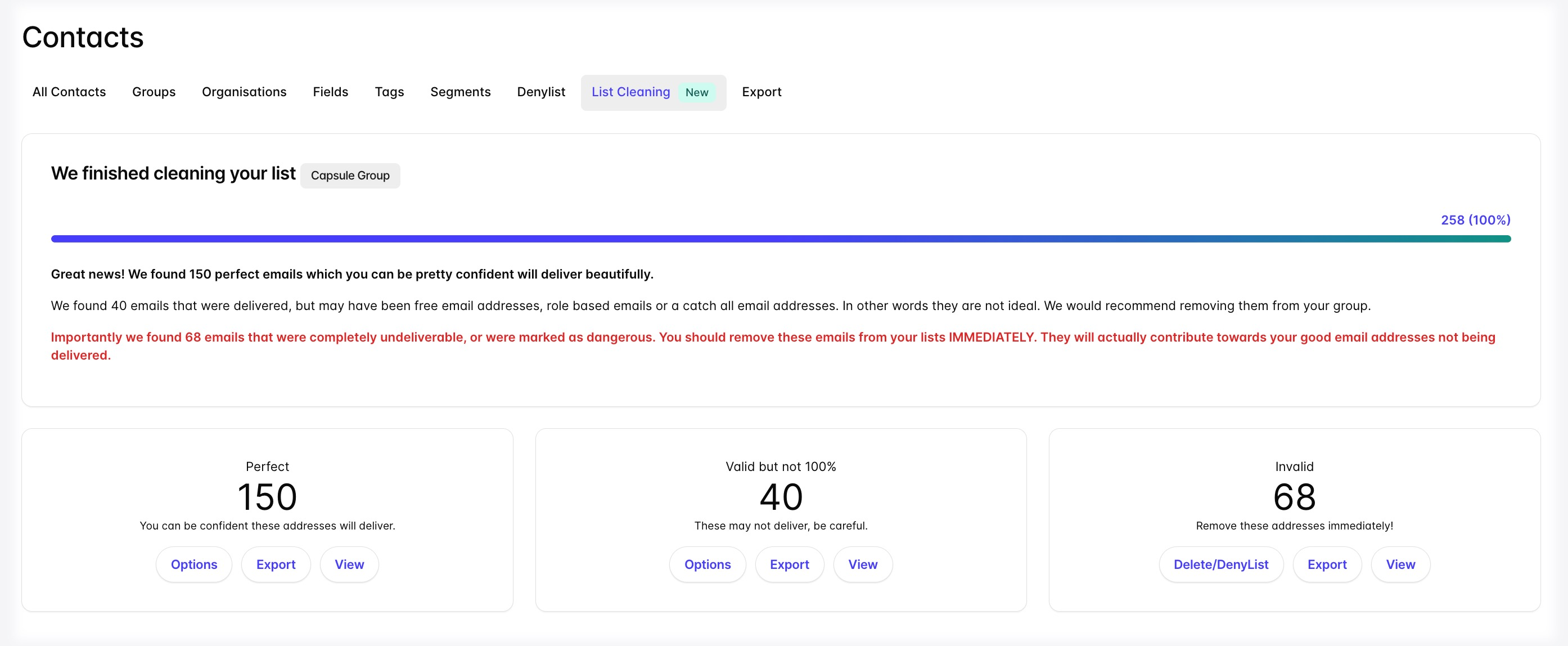
Your list clean runs in the background, so you can leave the page or continue working without interrupting the process.
Understanding List Clean results
Once your List Clean has finished, you can review the overall results. They will be split into 3 categories, with bulk actions available for each one:
| Category | What this means | Bulk actions available |
| Perfect |
You can be confident that the Campaigns sent to these addresses are more likely to reach real inboxes, helping your campaigns perform reliably. |
|
| Valid but not 100% |
These addresses can’t be fully verified. This means Transpond believes the address is valid, but there isn’t enough technical proof to guarantee it with 100% certainty. |
|
| Invalid | These addresses are not valid and should be removed from Transpond immediately. |
|
📙 Learn more about the Transpond Status.