Working with Custom Fields
Custom fields help you store and use the information that matters most to your business. Instead of being limited to standard contact details, you can create your own fields to capture anything from preferences and interests to internal notes, making your data more useful and your communication more relevant.
If you also use Capsule, any custom fields you create there can sync into Transpond. This means you can use the same data across both platforms without needing to recreate it, saving time and keeping everything consistent.
Who can use this feature? Anyone
Available on: Free, Starter, Growth, Advanced and Ultimate
What are Custom Fields?
Custom fields are additional data fields you create to store specific information about your contacts.
For example, you might use custom fields to track:
- Customer preferences (e.g. favourite product or service)
- Subscription details (e.g. plan type or renewal date)
- Internal data (e.g. account manager or lead source)
Why this matters:
- Stay organized: Keep all important contact data in one place
- Improve targeting: Segment your audience based on meaningful criteria
- Personalize communication: Send more relevant, engaging emails
Creating Custom Fields
You can create custom fields at any time to start collecting new types of information.
To create a custom field:
- Go to Contacts > Click Add a Field
- Enter a clear name (this will be visible when using the field)
- Choose the appropriate field type (e.g. text, date, dropdown)
- Decide whether the field should be:
- Hidden
- Required
- Important
- Save your changes.
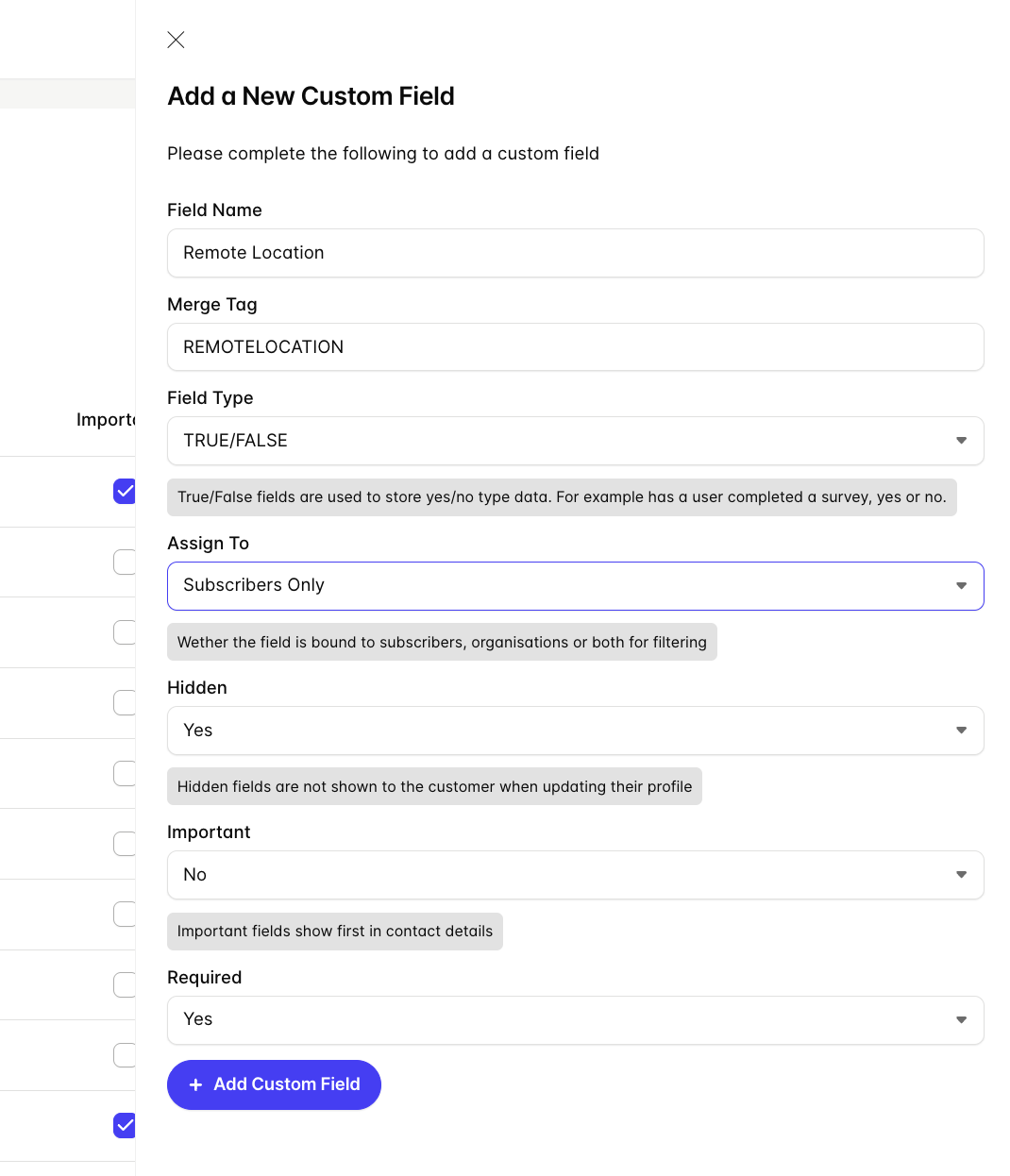
Choose a field name that’s easy to recognize later, this will make segmentation and personalization much simpler.
Managing & Visibility
Once created, custom fields can be adjusted to control how and when they’re used.
Hidden fields
Hidden fields are not visible in forms but can still store data behind the scenes.
Use hidden fields when you:
- Pass information automatically (e.g. campaign source)
- Don’t want users to edit certain values
- Need to track background data without cluttering forms
Required and important fields
You can mark fields to ensure they’re completed or prioritized.
- Required fields: Must be filled in before a form can be submitted
- Important fields: Highlight key information for your team
Why this matters:
- Reduce missing data: Ensure critical fields are always completed
- Improve data quality: Keep your records consistent and reliable
Using Custom Fields
Custom fields become powerful when you actively use them across your workflows.
In contacts (forms and imports)
- Add custom fields to forms to collect information directly from contacts
- Include them in imports to bring in structured data from other systems
- Update values manually or through integrations
- Use synced Capsule custom fields in your forms without needing to recreate them
In segments
You can build segments based on custom field values.
For example:
- Contacts with a specific subscription type
- Customers in a certain location
- Leads assigned to a particular sales rep
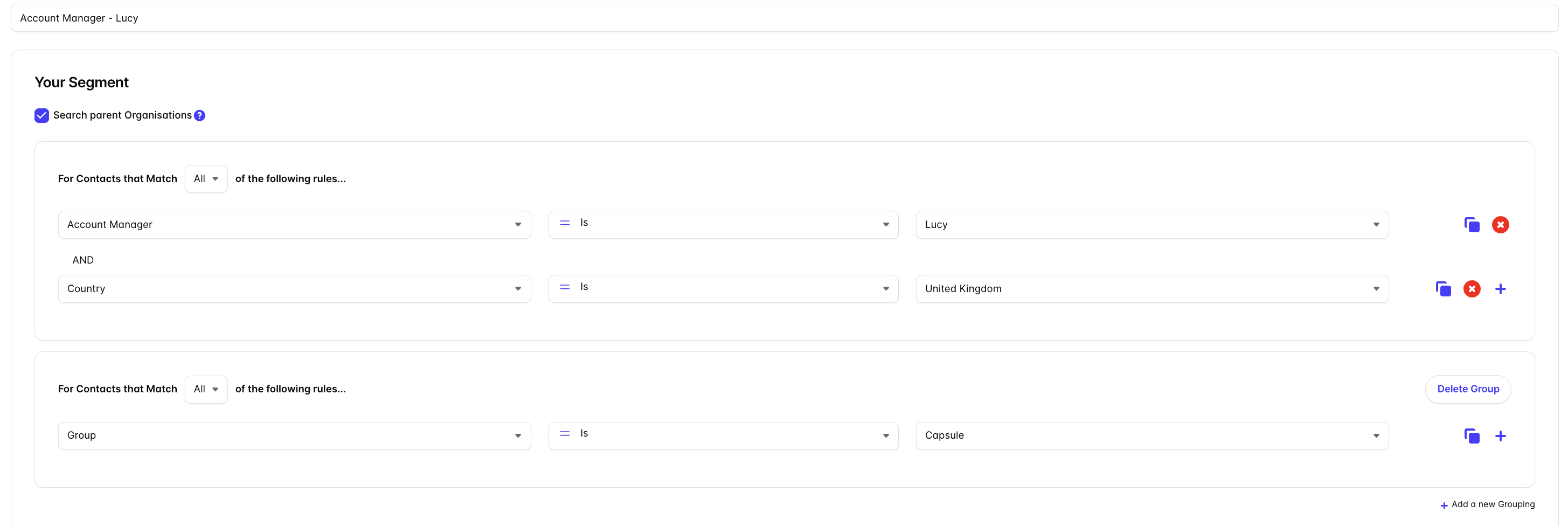
Why this matters:
- Target the right audience: Send campaigns to the people who matter most
- Automate workflows: Trigger actions based on field values
Using Custom Fields in Emails
Custom fields can be used to personalize your emails using merge tags.
Merge tags
Merge tags dynamically insert custom field values into your emails, such as a contact’s name or preferences.
For example:
- Greeting a contact by name
- Referencing a product they’re interested in
If you’re using Capsule, synced custom fields can also be used in your emails in exactly the same way, helping you personalize messages using data from your CRM.
📙 If you’d like to learn more, see Merge Tags.
Personalization
By combining custom fields with merge tags, you can:
- Tailor content to each recipient
- Increase engagement and response rates
- Build stronger customer relationships
Why this matters:
- Save time: Personalize emails automatically
- Improve results: More relevant messages lead to better performance
Custom fields give you the flexibility to organise your data, target your audience, and personalize your communication, all from one place - whether the data originates in Transpond or syncs in from Capsule.