GoDaddy Domain Authentication

Each DNS provider has slightly different steps in order to add or edit DNS records. Below is a list of steps you need to use to set up DNS records with GoDaddy.
Who can use this feature? All Staff
Available on: Free, Starter, Growth, Advanced and Ultimate
What details do I need?
Below is a list of the types of records you need to create or edit.
| Type | HOSTNAME | TARGETNAME / Content |
| CNAME | mp1._domainkey | dkim.ourmailsender.com |
| TXT | @ | v=spf1 include:spf.ourmailsender.com ?all |
| CNAME | mptrack.yourdomain.com | api.transpond.io |
| CNAME | mpcdn.yourdomain.com | cdn1.ourmailsender.com |
| TXT | _dmarc | v=DMARC1; p=... |
Make sure to replace yourdomain.com with your own domain.
How to add and update your DNS records in GoDaddy
- Log in to your GoDaddy account
- Click Domain on the left-hand side of the screen
- Click DNS to see your existing DNS records
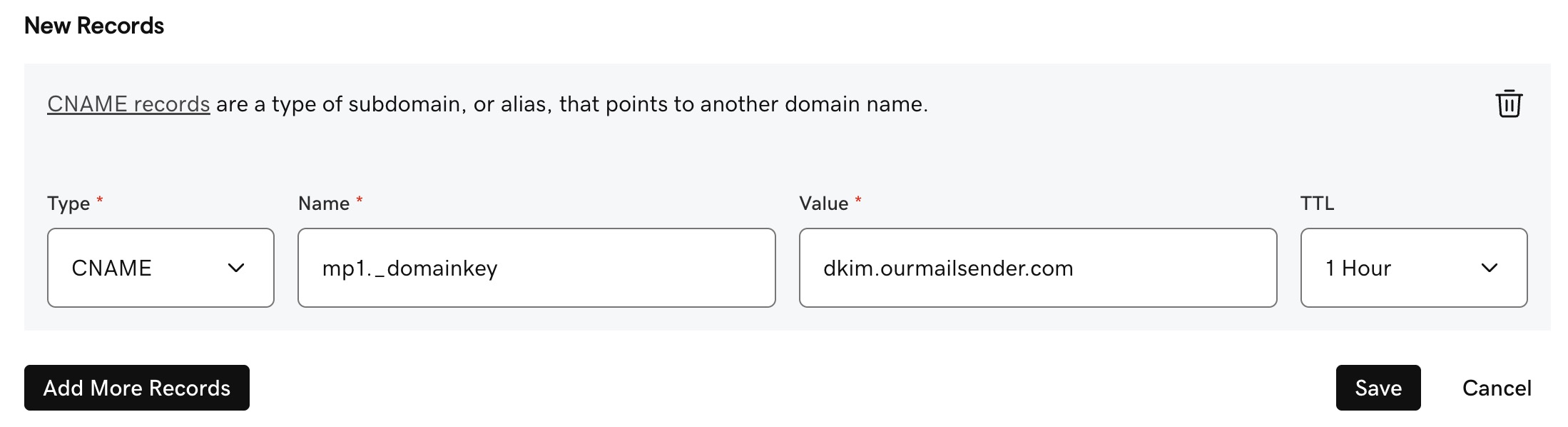
How to setup a DKIM record in GoDaddy
- Click Add New Record and select CNAME from the 'Type' dropdown menu
- In the 'Name' field, enter
mp1._domainkey - In the 'Value' field, enter
dkim.ourmailsender.com - Click Save
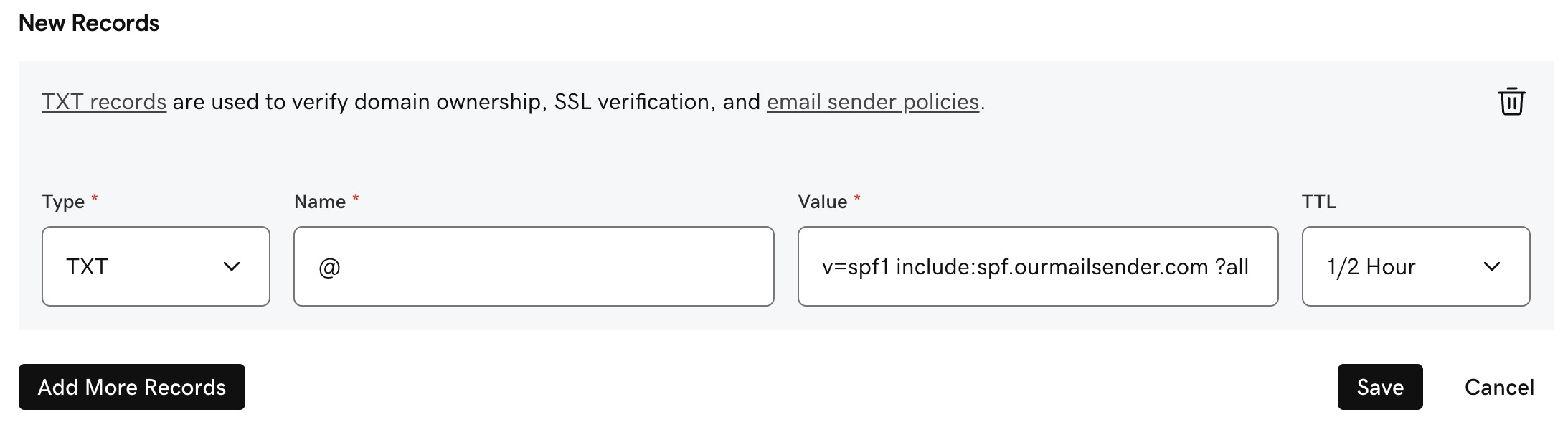
How to setup an SPF record in GoDaddy
- First, check if you have an existing SPF record. It will be a TXT record that starts with
v=spf1. If you do, click to edit the Value for the existing one and move on to step 4b. - If you do not have an existing SPF record, click Add New Record and select TXT from the 'Type' dropdown menu
- In the 'Name' field, enter
@ - In the 'Value' field:
- if creating as new SPF record, enter
v=spf1 include:spf.ourmailsender.com ?all - if editing an existing SPF record, just add
include:spf.ourmailsender.comat the end, before the part that says?all
- if creating as new SPF record, enter
- Click Save
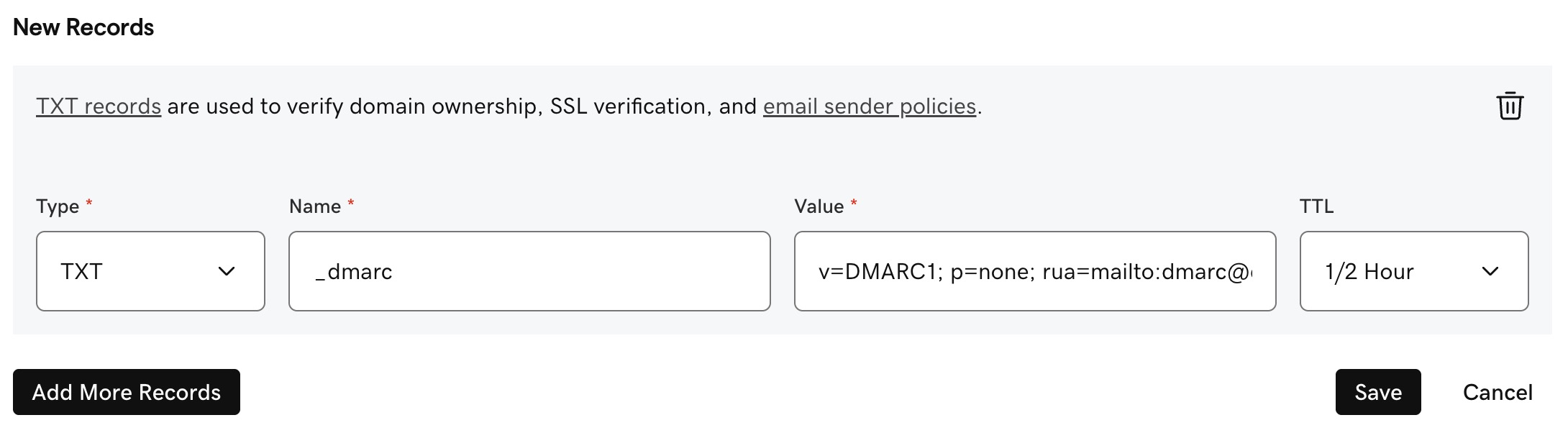
How to setup a DMARC record in GoDaddy
- Click Add New Record and select TXT from the 'Type' dropdown menu
- Enter
_dmarcin the 'Name' field - Add your DMARC record in the 'Value' field. It normally starts with
v=DMARC1; p=...If you haven't yet generated a DMARC record, then you can use one of the free tools online to set one up, such as DMARC Generator: https://dmarcgenerator.com - Click Save
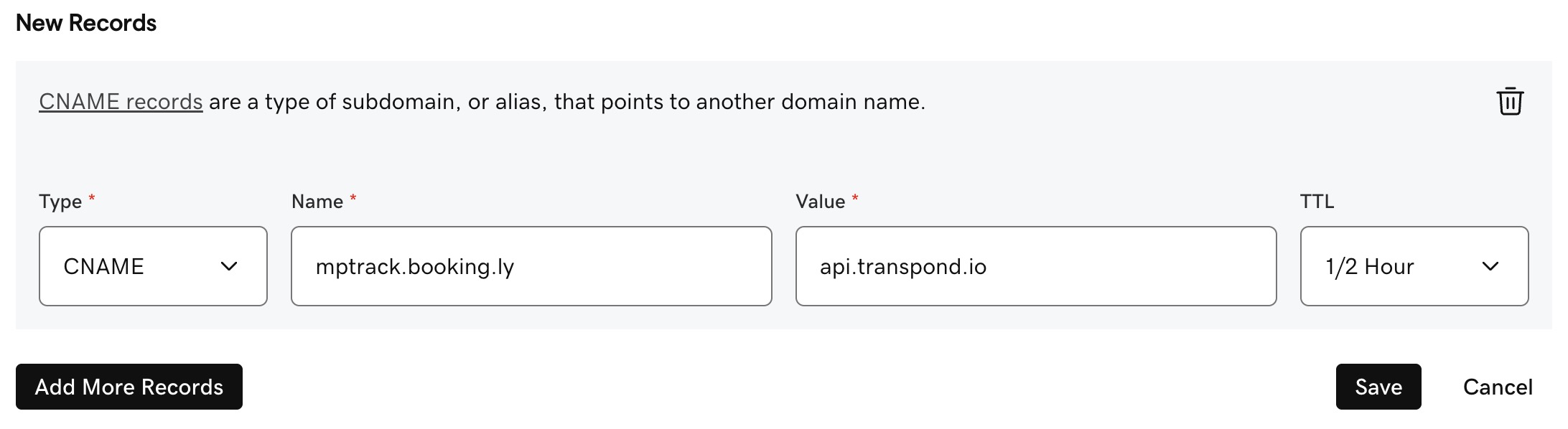
How to setup a Tracking Domain record in GoDaddy
- Click Add New Record and select CNAME from the 'Type' dropdown menu
- In the 'Name' field, enter
mptrack.yourdomain.com(replaceyourdomain.comwith your actual domain) - In the 'Value' field, enter
api.transpond.io - Click Save
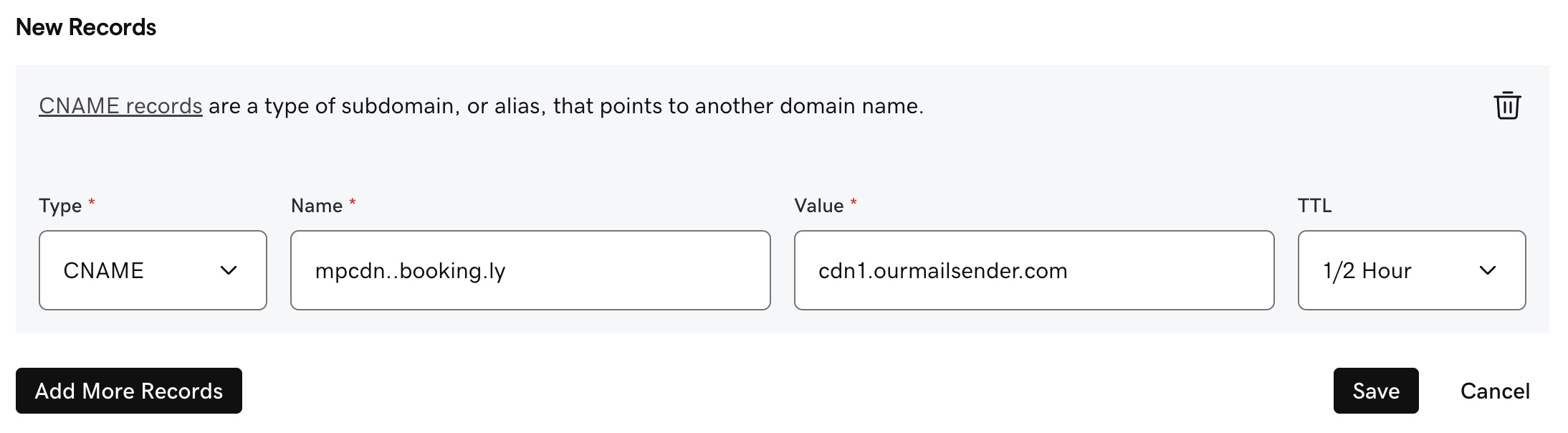
How to setup a CDN Domain record in GoDaddy
- Click Add New Record and select CNAME from the 'Type' dropdown menu
- In the 'Name' field, enter
mpcdn.yourdomain.com(replaceyourdomain.comwith your actual domain) - In the 'Value' field, enter
cdn1.ourmailsender.com - Click Save